
6 min read · Updated: 2026-10-13
If you want your business on Google Maps, you’ll improve visibility and make it easier for customers to find you. This guide explains the practical steps in plain language, with examples you can apply right away. You’ll learn how to claim, verify, and optimize your listing so it serves daily life and small-business routines.
First, gather what you need: your business name, address, phone number, and website. Next, sign into Google Business Profile and start the setup. Finally, verify your listing and add details that help customers decide to visit or call.
A simple, repeatable process helps you keep your listing accurate as your business grows, seasons change, or you trial new offerings.
- You can add your business to Google Maps by preparing essential details, creating a profile, and verifying ownership.
- Fill out hours, services, and descriptions, then add photos and keep information consistent with other listings.
- Encourage reviews, respond professionally, and use posts to keep your listing current.
- Track performance and refine your listing using insights to attract more local customers.
Basics and setup
Prepare essential details
Start with your exact business name, address, and phone number to avoid confusion. Have your website URL ready so customers can learn more. If you serve multiple locations, note which ones apply to this listing. add your business to the Blackpool business directory is a clear step in grounding your presence locally.
Create and verify
Open Google Business Profile and begin the setup. Follow the prompts to create the profile, then choose a verification method that works for you. Verification confirms you control the listing and can update it as needed.
- Claim your listing
- Select verification method
- Await verification
Optimization basics

Add helpful details
Fill in hours, services, and a short description that reflects what you offer. Include photos that show the storefront, interior, and products. Keep information consistent with your website and other directories. A useful resource on this topic: latest news Blackpool.
- Use exact hours and update for holidays.
- Add a few high-quality photos that tell a story.
- Verify that your contact info matches other places online.
- Hours accuracy
- Service lists
- Quality photos
- Consistent NAP (name, address, phone)
Encourage and respond
Ask satisfied customers for reviews and respond to feedback. Positive reviews boost trust and improve visibility, while responses show you value customer input. Keep responses professional and specific.
- Request reviews after service
- Reply to reviews thoughtfully
- Address negative feedback calmly
Advanced options
Use posts and updates
Google Posts let you share offers, events, or news. Use short, clear messages with a call to action. Regular posting keeps your listing fresh for locals. A useful resource on this topic: community events in Blackpool.
- Post weekly updates
- Highlight seasonal services
- Add event dates
| Option | Pros | Cons |
|---|---|---|
| Standard listing | Easy setup; good visibility | Limited control over updates |
| Verified listing | Trust signals; better ranking | Requires verification step |
| Enhanced listing | More features like posts and photos | More time to maintain |
Track performance
Use the Insights tab to see how people find your listing and what actions they take. This helps you adjust your description or photos to attract more visits. Look for patterns in search terms and customer questions.
- Monitor views and actions
- Test different photos
- Refine descriptions based on questions
Pitfalls and cautions

Common missteps
Inaccurate hours, wrong categories, or inconsistent contact details confuse customers. Duplicate listings split your visibility and can harm your ranking. Keep one clear, verified listing per location. A useful resource on this topic: place an advert in Blackpool.
- Avoid inconsistent NAP
- Do not ignore verification
- Remove duplicates
What to avoid
Don’t rely on a single photo or a vague description. Poor image quality or outdated information signals neglect to potential customers. Regular checks prevent small errors from becoming lost opportunities.
- Use fresh, high-quality photos
- Update hours during holidays
- Review and correct details periodically
Customize the profile with clear photos of the storefront, interior, and products.
Getting listed in Blackpool’s local scene
Gaining local visibility with maps
Start by claiming your Google Business Profile and verify ownership. Use a consistent business name, address, and phone number across all listings to avoid confusion. Add accurate hours and respond to reviews to show reliability. funeral notices in Blackpool
- Inaccurate address or hours that change frequently
- Inconsistent business name across listings
- Ignoring customer reviews and questions
Customize the profile with clear photos of the storefront, interior, and products. Regularly update posts about promotions or events to keep customers informed. Ensure your category selection matches what locals search for most.
Keep a local tone in your descriptions, mentioning nearby landmarks and the Blackpool area to improve relevance. Encourage customers to leave reviews and provide helpful responses to feedback. Track basic metrics like profile views and map searches to gauge interest.
- Verify ownership promptly after registration
- Use consistent NAP across platforms
- Add high-quality, up-to-date photos
- Engage with reviews regularly
Beyond basics: mobile and voice search
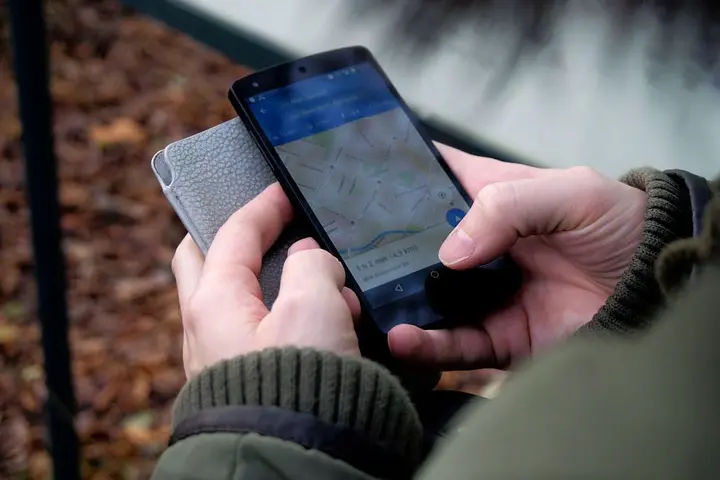
Optimizing for mobile maps
Mobile users often search on the go, so keep essential details front and center. Use a concise business description with keywords that describe services customers actually look for. Ensure your phone number is clickable for quick calls.
Voice search favors natural language questions and local intent. Phrase your description to answer common queries like hours, location, and services without overloading with keywords. Test queries you think customers would say aloud.
Test and adjust regularly based on how people find you in maps. Update photos after renovations or seasonal changes and refresh posts with timely offers. Small, frequent updates keep your listing relevant.
- Prioritize key contact details
- Create natural, question-based content
- Regularly refresh visuals and updates
Integrating with other directories
Cross-listing without conflict
Beyond Google Maps, adding your listing to local directories supports discovery. Use a uniform business name, address, and phone number to avoid duplicate profiles. Monitor duplicates and request merges if necessary.
Select reputable local directories that align with Blackpool life—cultural centers, tourism guides, and neighborhood associations. Each listing should mirror your Google profile’s details to build trust. Avoid overloading listings with redundant information.
Coordinate updates across platforms so customers don’t see conflicting hours or contacts. If you run promotions, synchronize the messaging where it appears. A consistent presence across directories reinforces reliability.
- Choose quality directories
- Maintain consistent NAP
- Coordinate updates across sites
Sustaining a healthy digital map presence

Ongoing maintenance habits
Schedule monthly checks of your map listing to confirm hours, contact info, and services remain accurate. Set reminders to post seasonal updates or events, so your profile stays active. Proactive maintenance prevents customer frustration.
Respond to reviews with a calm, helpful tone, even when criticism arises. Acknowledging concerns publicly shows accountability and can soften tensions. Use feedback to refine your real-world operations and service delivery.
Track basic signals like search visibility and listing completeness. If you see gaps, fill them with details such as a services list, amenities, and photos. A fuller profile often yields more customer inquiries.
- Monthly verification of data
- Active review management
- Profile completeness checks
Frequently asked questions
Do I need a separate listing for each location or service area?
If you operate multiple locations or clearly defined service areas, create distinct listings to capture local intent. Keep NAP consistent and reference nearby landmarks to help customers orient themselves.
How often should I update my Google Map listing?
Review your listing at least monthly. Update hours for holidays, add new photos after renovations, and post timely offerings to keep interest high.
What should I do about negative reviews?
Respond promptly with courtesy and a plan to address the issue. A constructive reply can soften perceptions and demonstrate commitment to customer care.
Can I manage maps from my phone easily?
Yes. The Google Maps app lets you edit your profile, post updates, and respond to reviews on the go, which is convenient for small-business owners.
Keeping your map presence steady
A well-tended map profile acts as a reliable warm welcome for local customers. When details are accurate and responses are thoughtful, people are more likely to visit in person or contact you. Use it as a live reflection of your daily business care.
A practical next step is to schedule a short audit next week: confirm hours, refresh photos, and reply to recent reviews. This keeps your map presence honest and helpful, and it invites more local connections.


