
6 min read · Updated: 2026-10-13
If you want your business to show up when people search, you need a solid Google listing. This guide walks you through the exact steps to get listed, verified, and kept current with accurate details. It focuses on practical actions you can take today, with a lifestyle-friendly approach that fits busy routines.
First, gather the basics: your business name, address, phone number, and hours. Then claim your listing, verify ownership, and optimize what you show. You’ll learn what to update, what photos to add, and how to respond to reviews in a calm, helpful way.
Finally, we’ll cover common tweaks that make a difference over time—like keeping hours accurate and adding fresh photos—so your listing stays useful to customers who rely on simple, trustworthy information.
- To get your business listed on Google, claim and verify your listing, then fill in consistent, accurate information.
- Optimize your description, add quality photos, and request reviews to build credibility.
- Regularly monitor and update hours, photos, and responses to stay useful to customers.
Basics of setup
Claim your listing
Start by creating or signing into your Google account, then search for your business name. If it appears, claim it and verify ownership. This step proves you’re the rightful manager and prevents others from editing details. get your business listed in Basingstoke
- Using a fake address or PO box
- Leaving verification incomplete
- Mismatching business name across listings
Next, fill in core information carefully: name, address, and phone number (NAP). Use the exact same format everywhere to avoid confusion. Inconsistent details confuse customers and may dilute trust.
Be mindful of category choices and service areas. Pick a primary category that best fits your business and add relevant secondary ones. This helps Google show your listing to the right people.
Verification and credibility
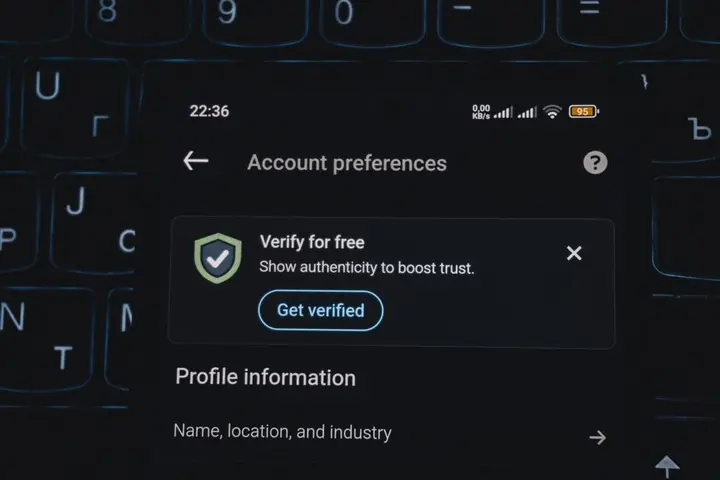
Verify ownership
Google offers several verification methods. Choose the one that fits your setup—postcard, phone, email, or instant verification if eligible. Verification confirms you’re authorized to manage the listing and unlocks full editing rights. Basingstoke news
After verification, review the displayed information for accuracy. Any error, like an outdated phone number, can deter customers or reduce trust.
Add credibility through your listing by including precise hours, a concise description, and a few high-quality photos. This helps customers decide quickly if you’re a fit.
Optimizing for search and actions
Improve visibility
Write a clear, customer-focused description to explain what you offer and what makes you different. Include keywords naturally, but avoid keyword stuffing that feels forced or spammy. submit an event in Basingstoke
Use service areas if you serve multiple locations. This helps the listing appear in local searches and maps for the right neighborhoods.
Encourage reviews and respond promptly. A respectful reply to feedback shows you value customers and helps manage public perception.
- Ask satisfied customers for a quick review after a successful visit
- Respond to negative reviews with a calm, helpful tone
- Add up-to-date photos showing your space, products, and team
| Method | Pros | Cons |
|---|---|---|
| Free Google Business Profile | No cost, basic visibility | Limited control without ads |
| Third-party directories | Broader reach | Consistency is harder to maintain |
| Google Posts | Timely updates | Requires ongoing content |
Set a simple routine to review photos, descriptions, and hours every few months.
Maintaining and measuring success

Track performance
Use the Insights tab to see how often your listing appears and which actions people take. This helps you understand what information matters most to visitors. advertise a job vacancy in Basingstoke
Set a simple routine to review photos, descriptions, and hours every few months. Small updates can keep your listing fresh and accurate.
Experiment with photos and posts to see what resonates, but avoid overposting or aggressive promotions.
- Review search queries that lead to your listing
- Keep contact information current
- Refresh photos seasonally
How to expand reach outside Google
Broaden online presence beyond search
Start by listing your business on popular directories and social platforms relevant to your market. Consistency in NAP (name, address, phone) helps customers recognize your brand across sites. Pair listings with a simple, mobile-friendly website that clearly shows services and hours. death notices in Basingstoke is a sensitive query that sometimes appears in community listings and directories, so ensure any mention remains respectful and accurate in local contexts.
- Consistency across sites boosts recognition
- Visuals and clear descriptions help conversions
- Regular updates keep listings relevant
Consider local community sites, event calendars, and niche directories that align with your offerings. Each listing should have at least one friendly photo and a short, actionable description. Update seasonal services or promotions to keep content fresh.
Engage with customers through replies to reviews and posts; this builds trust and shows you value feedback. Track which platforms drive visits to your site and adjust where you focus your efforts.
- Maintain consistent business details
- Use high-quality photos
- Respond to reviews
- Track performance
- Update regularly
Options for managing listings

Choosing listing management tools
Look for platforms that support bulk updates, local verification, and review monitoring. A good tool saves time by syncing your business information across networks. Start with a free trial to assess ease of use and reporting features.
Evaluate whether the tool supports your preferred directories and whether it offers mobile access. Prioritize dashboards that show consistency checks, missing data alerts, and review responses. This helps you stay on top of changes without manual checks.
Develop a routine: weekly checks for new reviews, monthly audits of NAP consistency, and quarterly updates to services or hours. Automation helps, but human attention ensures nuance in descriptions.
- Bulk updates across sites
- Review monitoring
- Consistency alerts
- Mobile access
- Automation with oversight
Common pitfalls to avoid
Common listing mistakes and cures
Inaccurate addresses are a frequent pitfall that frustrates customers and costs clicks. Double-check every field during setup and after any move or remodel. Inaccurate hours mislead customers and waste time when they arrive.
Generic descriptions fail to capture value; use specific services, durations, and local references that make sense to locals. Avoid keyword stuffing or jargon that confuses readers.
Neglecting reviews hurts trust; respond politely to all feedback, positive or negative, and use insights to improve. Regularly highlight changes or upgrades in the listing to show progress.
- Box contents remind readers of concrete, actionable fixes and why they matter.
- Inaccurate locations or hours
- Generic descriptions
- Ignoring reviews
- No regular updates
Tips for fine-tuning your listing

Tuning for clarity and action
Use concise, benefit-led statements that tell customers what they gain. Include a clear call to action, such as calling or visiting your site, in the description. Keep contact details up to date and pinned to the top of each listing.
Add high-quality photos that reflect real experiences—interiors, people, and service moments. Images should be well-lit, properly cropped, and labeled with simple captions for accessibility.
Experiment with posting updates that reflect seasonal offerings or new hours. Track which updates drive traffic and adjust your messaging accordingly.
- Clear benefits in descriptions
- Quality photos
- Seasonal updates
- Track and adapt
Frequently asked questions
Do I need a website to list my business on Google?
No, but having a simple site helps customers understand what you offer and can improve conversion. A listing with complete details and photos often performs better than a bare profile.
How long does verification take?
Verification times vary, but you’ll typically receive a postcard or prompt within days. In some cases, verification can be completed digitally if supported by your account.
Can I manage listings for multiple locations?
Yes. Many tools and platforms support multi-location management, letting you update hours, services, and descriptions from one dashboard.
What should I avoid in my listing descriptions?
Avoid vague language, excessive keywords, and irrelevant details. Focus on clear, local information that helps readers understand what you offer and where.
Conclusion
Take control of your local presence by ensuring accuracy, completeness, and timely updates across listings. Verification unlocks editing power and improves credibility with customers, while consistent details reduce confusion at the moment of decision.
A steady routine—monthly checks, quarterly updates, and thoughtful content changes—keeps your profile valuable and trustworthy as your business evolves. Start with the Google listing but plan for broader visibility to support daily life decisions and relationships with nearby customers.


